
Teacher: How do I upgrade/downgrade my account?
Edited
If your student numbers have changed, you may need to upgrade or downgrade your Vivid Practice plan.
Log into vividpractice.com using your teacher login credentials.
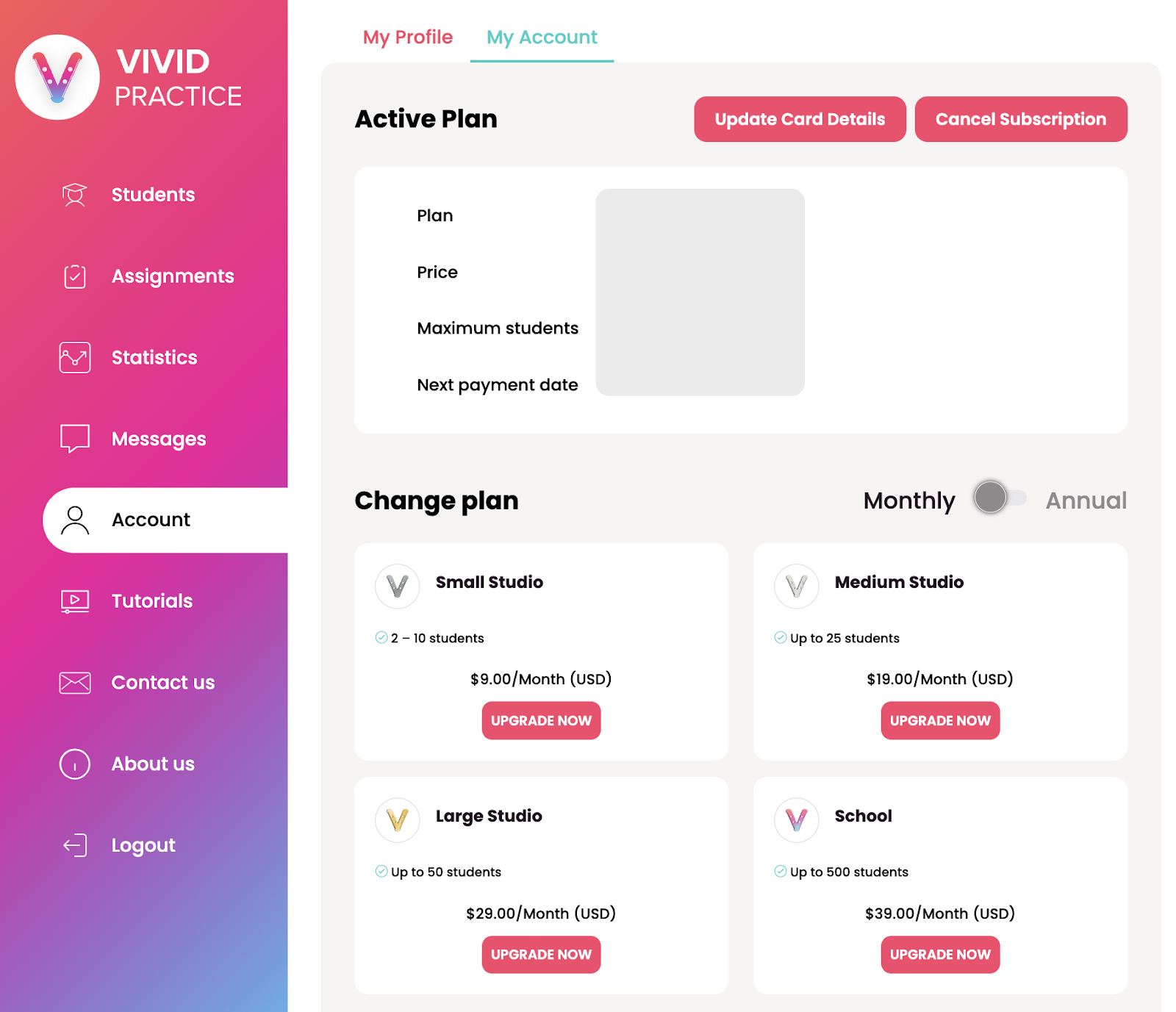
Click “Account” in the menu on the left side.
Click “My Account” at the top of the page.
Under the “Choose Plan” heading, select your new plan and proceed to the payment screen.
Your new plan will begin on the day you paid for it, and we’ll refund any portion of the previous plan you didn’t use. (Refunds are processed manually within 1-2 weeks and will go back to the account on file.)
If you run into any issues, please contact us at support@vividpractice.com.