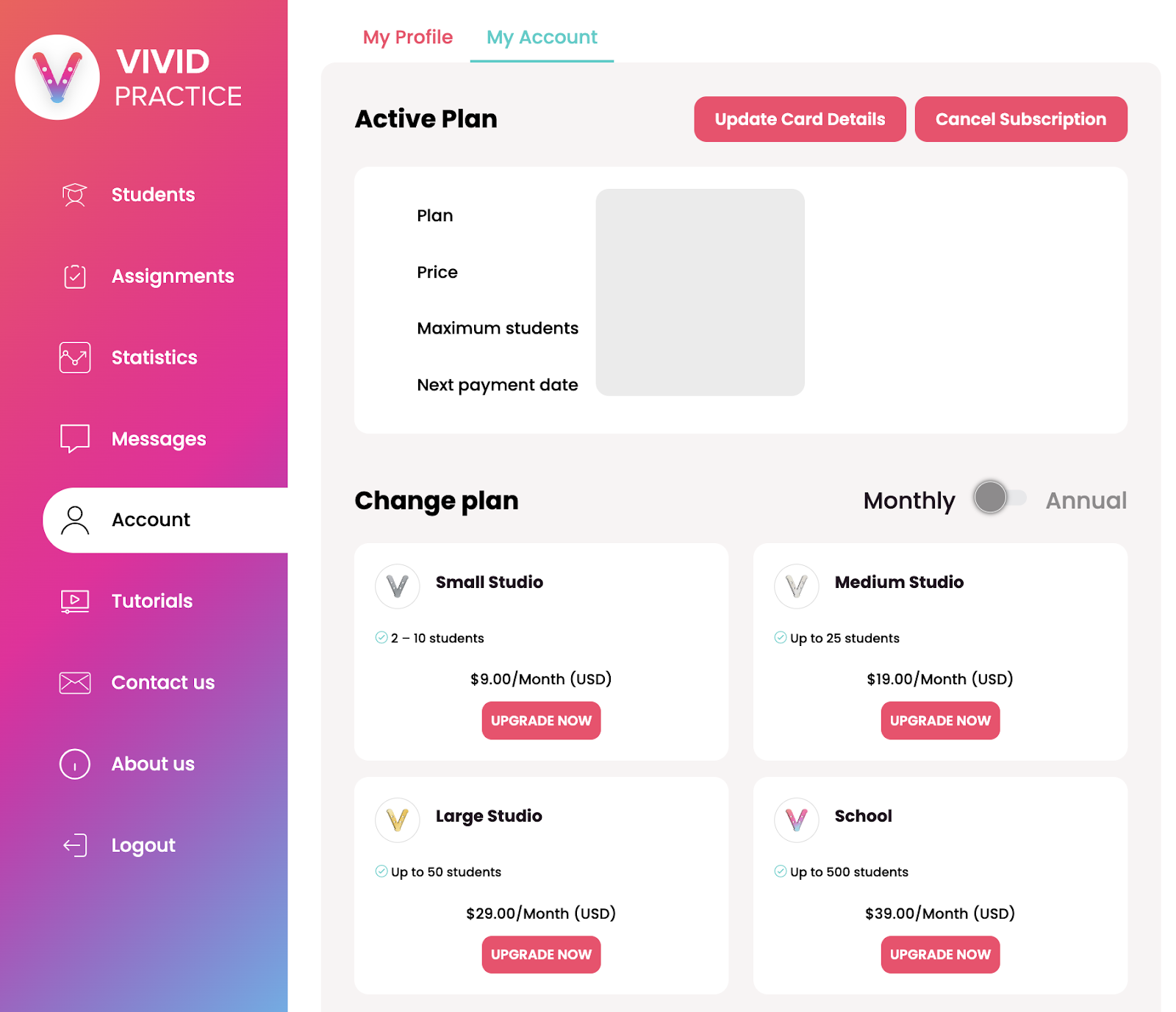
Teacher: How do I switch from the free plan to a paid plan? What are the plan options?
Edited
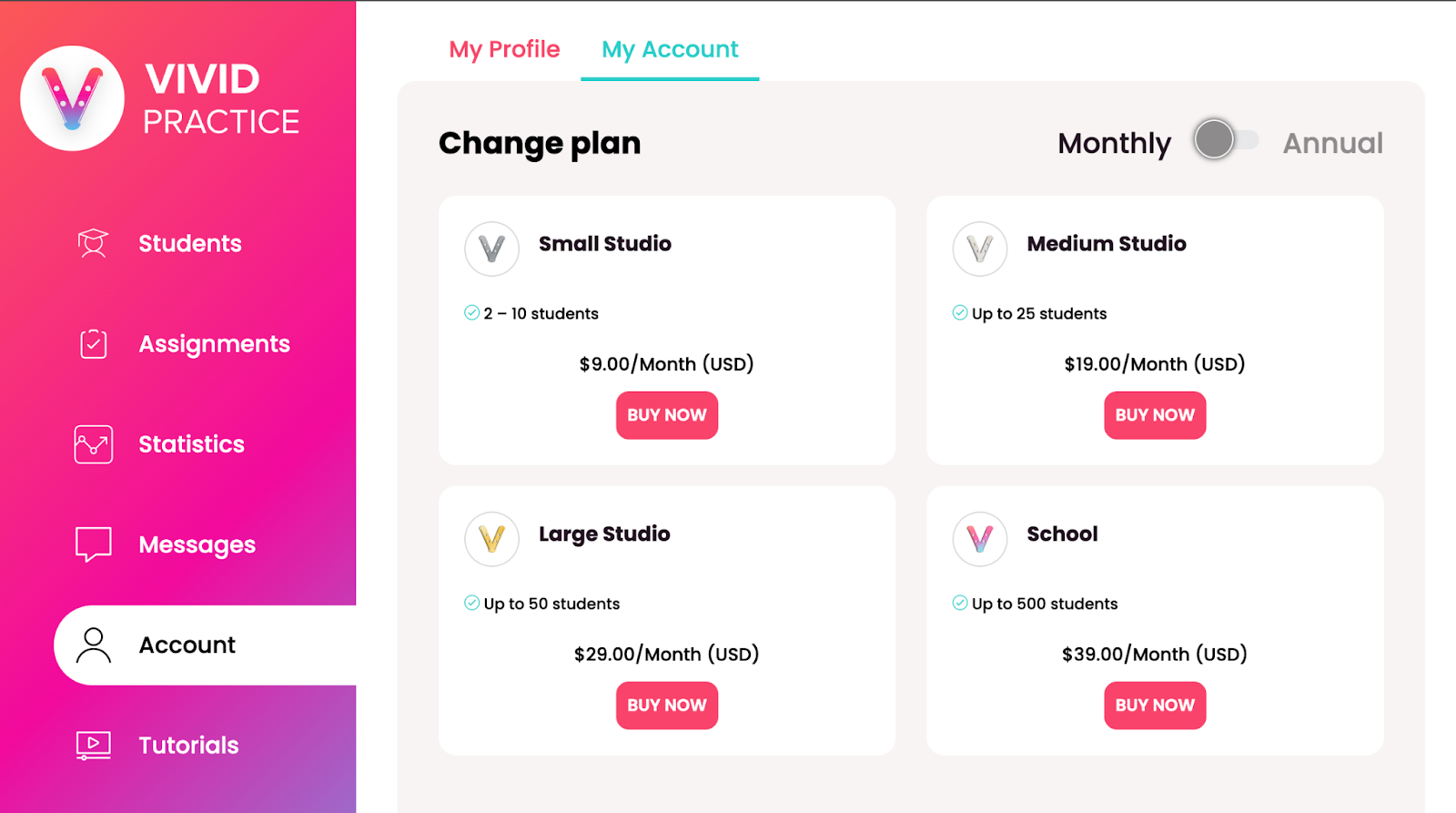
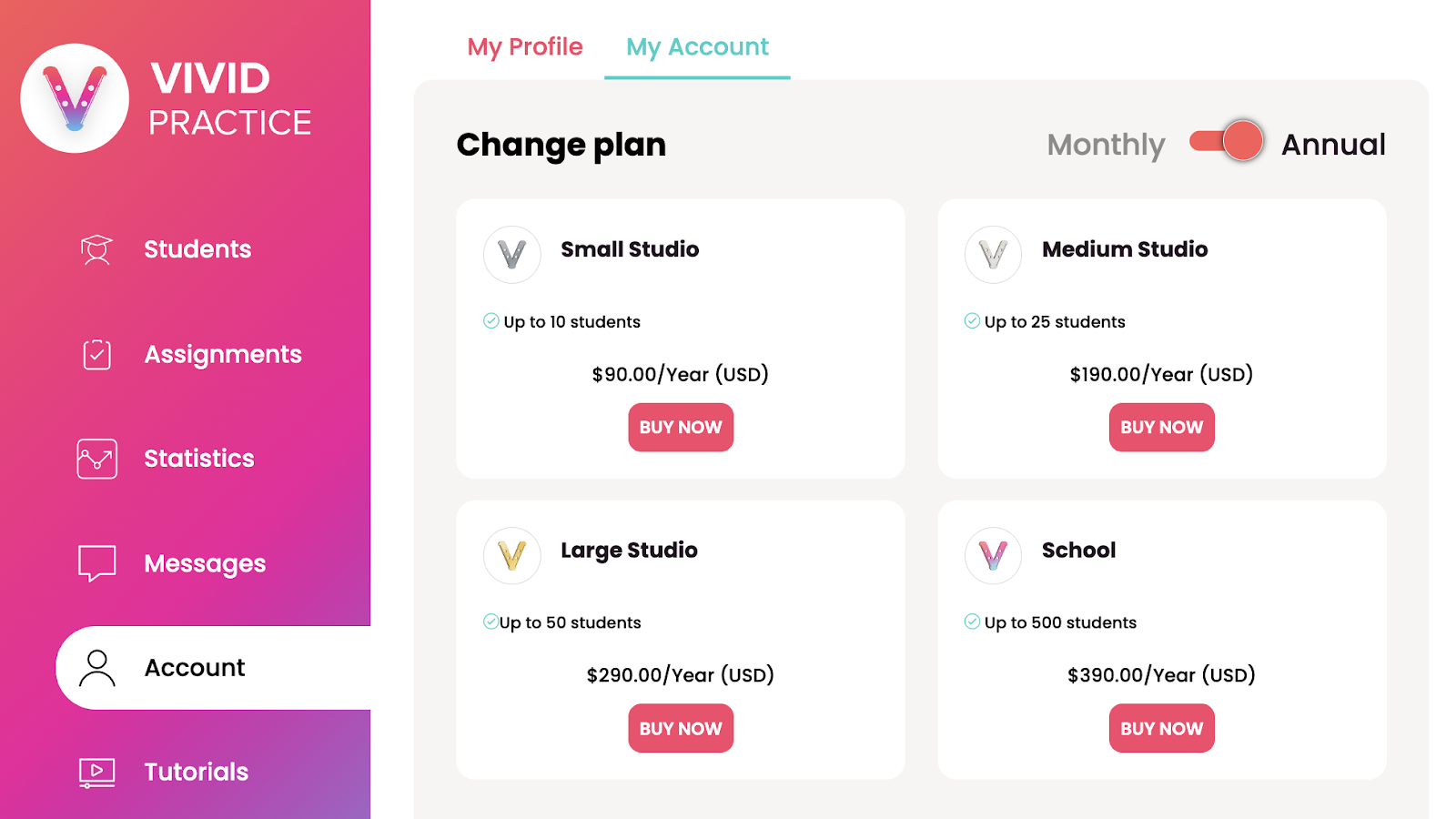
When you’re ready to use Vivid with more than one student, visit the “My Account” section and select the plan you’d like.
The only difference between the plans is how many student accounts you are allowed to have and whether you’d like to renew monthly or pay once per year. (Don’t forget that paying once per year will save you two months of membership!)
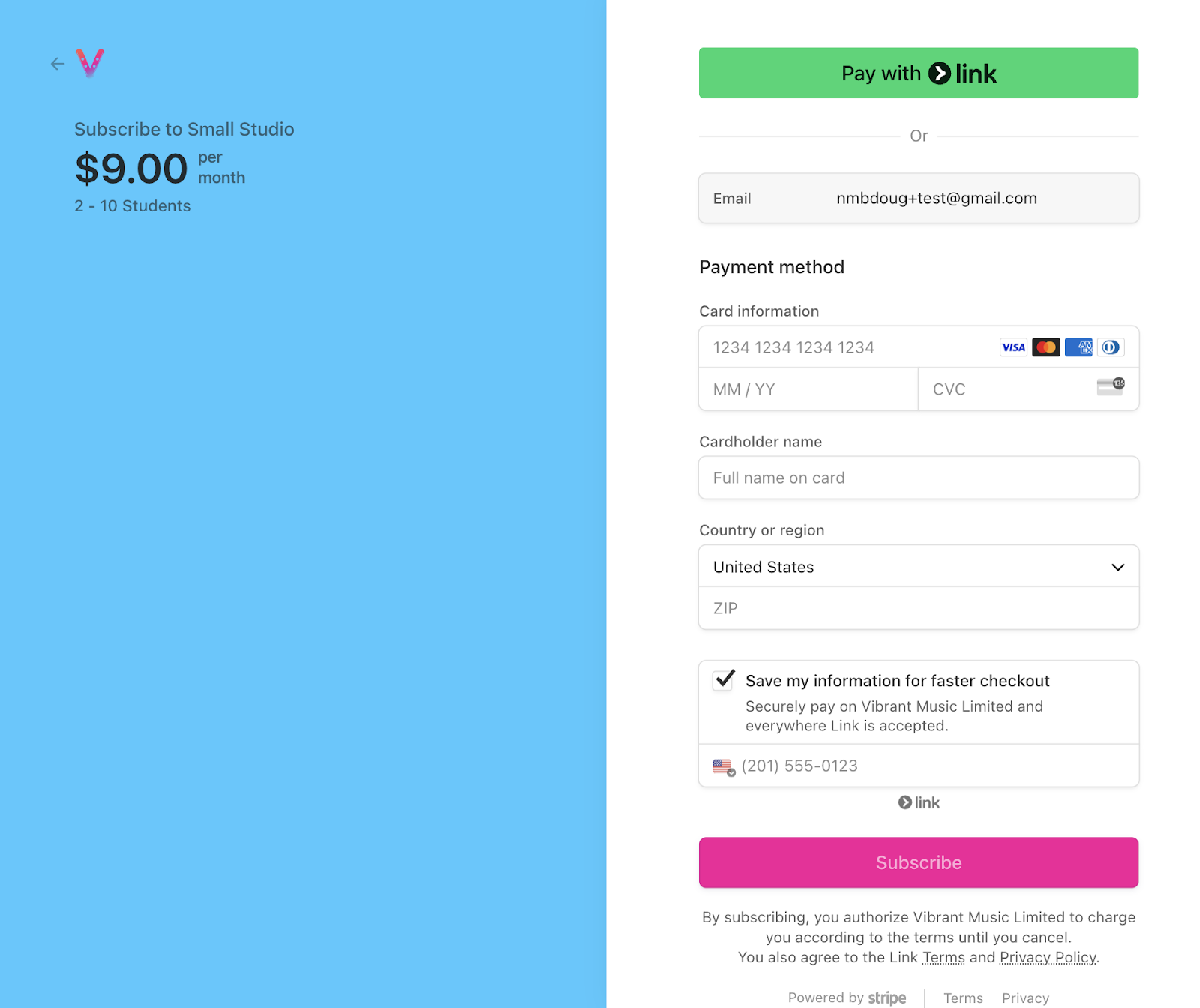
On the next screen, enter your payment details.
After you’ve set up your new plan, your “My Account” page will show a section called “Active Plan” that allows you to update your card details or cancel your subscription.